Everything runs on your own graphics card through ComfyUI: MOSS-Image paints the character on a green screen, Wan 2.2 turns it into a looping video whose first and last frames match, and a pixel stage keys it, lines up the feet, shrinks it and locks it to one palette.
Status: work in progress. The app runs on sample pictures, and the pixel stage and the engine are built and tested; the first full runs on the graphics card are next. Last updated: 2026-10-23.
Contents
- What works today
- Screenshots
- How it works
- Requirements
- Coming soon
- Recent changes
- Credits and license
What works today
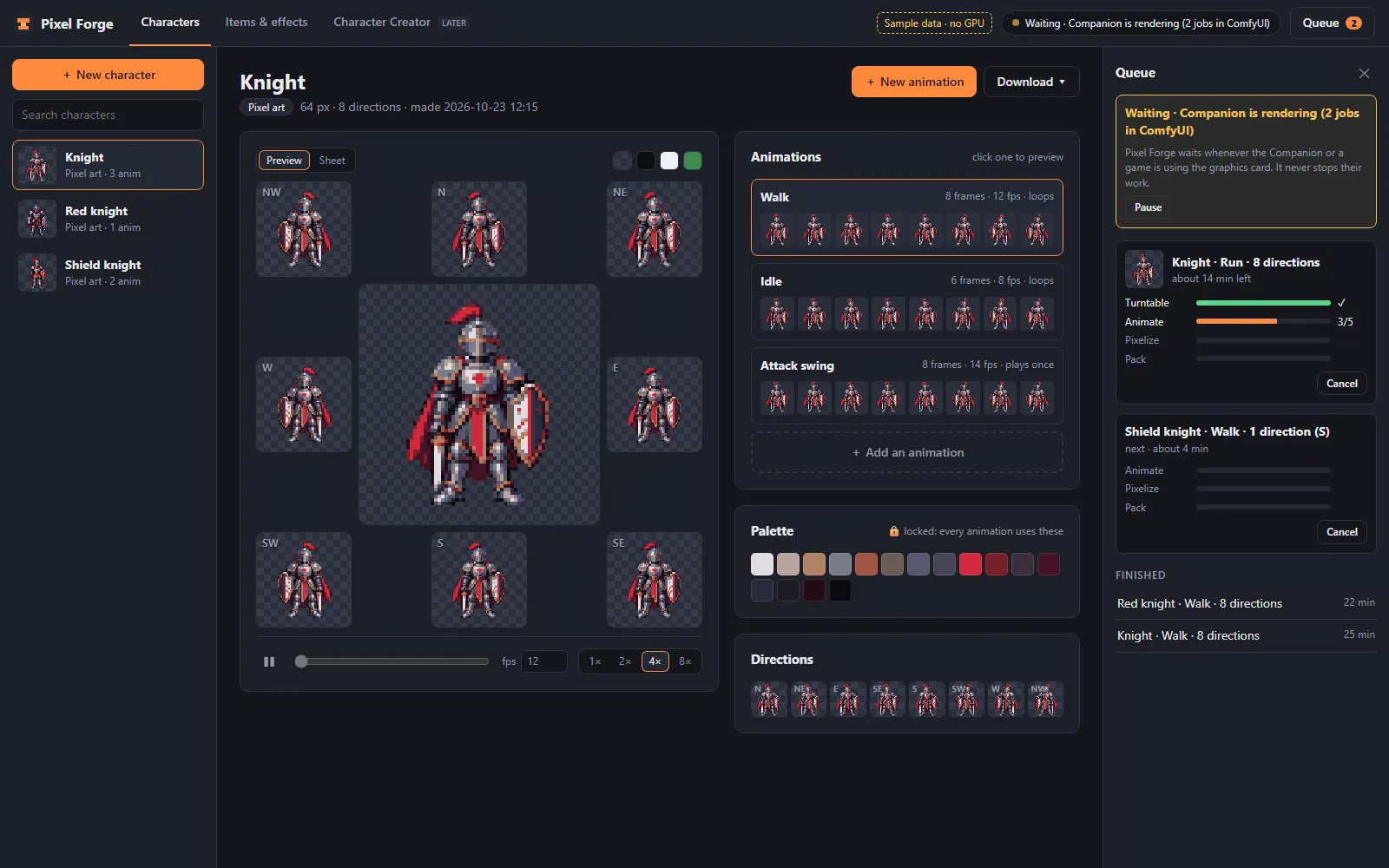
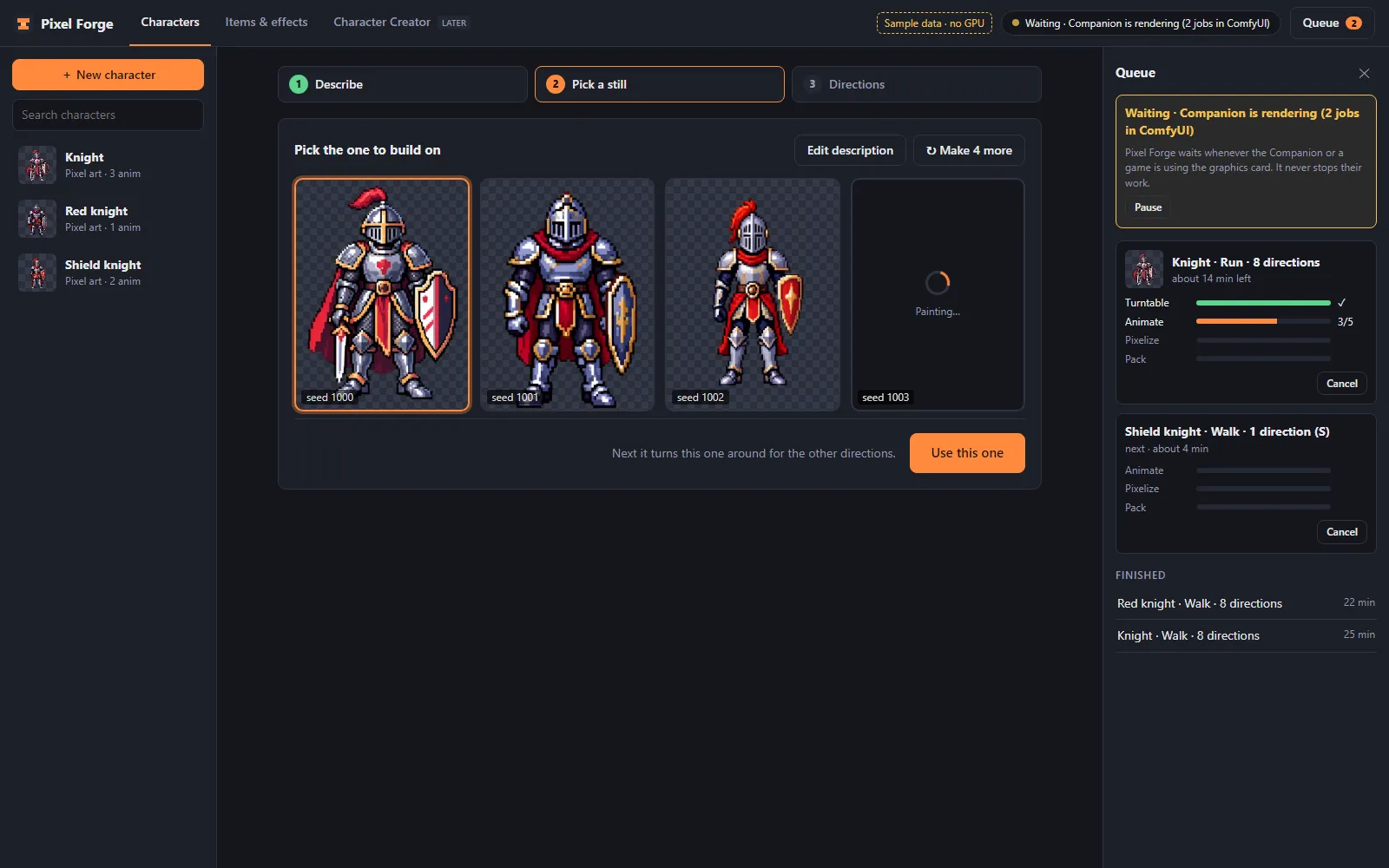
- The app, on sample pictures: make a character (describe it, pick a style, pick one of 4 stills, choose directions), watch it in 8 directions with a frame-by-frame player, add animations from presets or your own words, download it, and a queue that waits politely whenever a game or another app is using the graphics card.
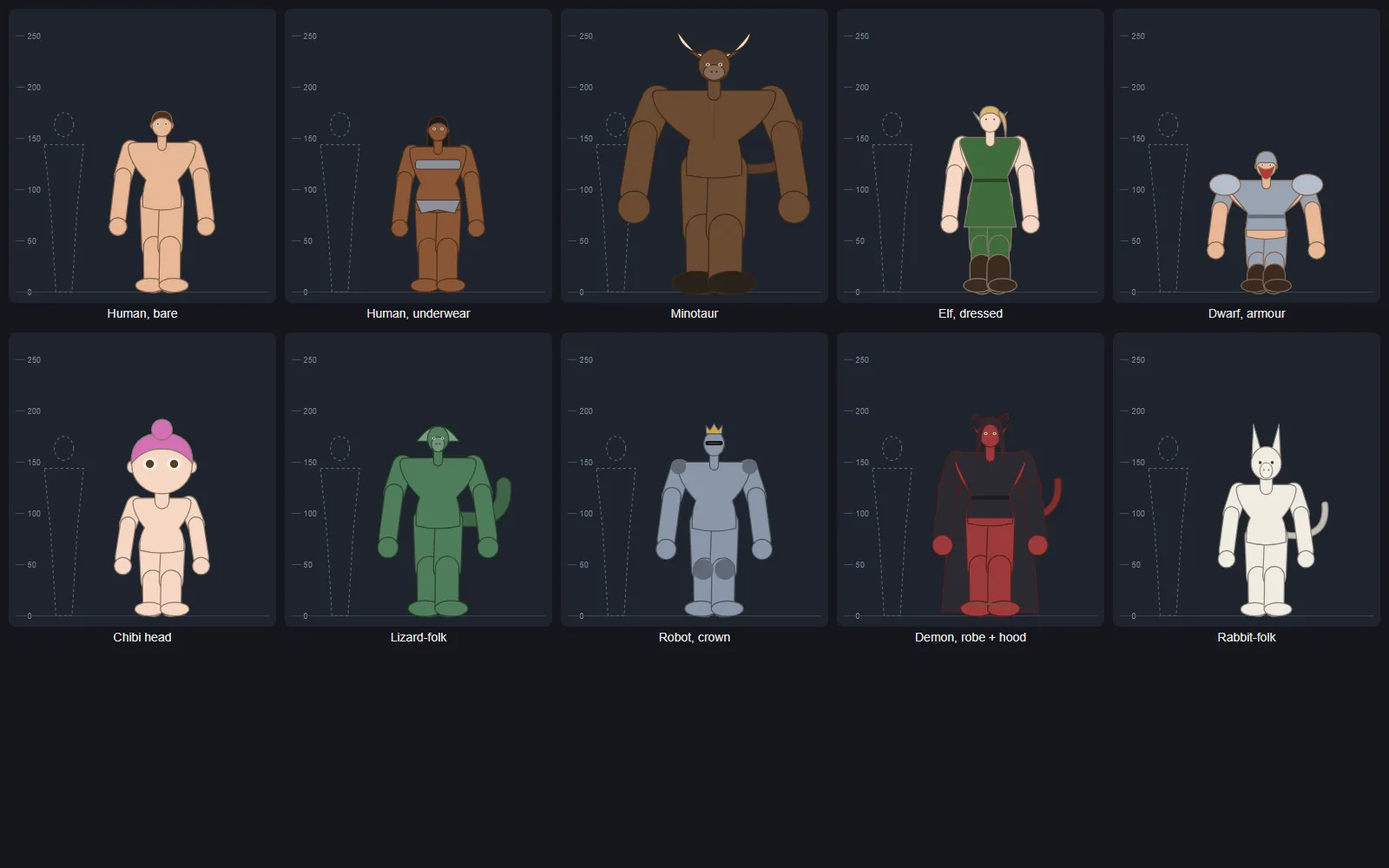
- The Character Creator: pick a kind (human, elf, dwarf, orc, minotaur, beast-folk, lizard-folk, demon, robot, or describe your own), a style, body sliders, skin, eyes, hair and parts, then clothes, and save it by name. It paints a plain base body, cuts it into pieces, then paints hair, horns, face and clothes on top one piece at a time.
- Items and effects: presets for a portal gun, a bubble beam, a sword slash, a spinning coin and an explosion, as looping or play-once clips, in pixel art or HD.
- 22 art styles in five families (pixel art, anime, cartoon, 3D, realistic), plus your own.
- The pixel stage: green or magenta screen key, loop finder and loop fix, feet alignment, one scale and one palette per character, stray-pixel cleanup, mirroring, and packing into a sheet, GIFs, frames and JSON.
- The engine: a local job queue with one graphics-card worker. It saves every stage, so a crash picks up where it stopped, and it waits for games and other apps instead of fighting them for the card.
Screenshots
The app on sample pictures (2026-10-23).
 |
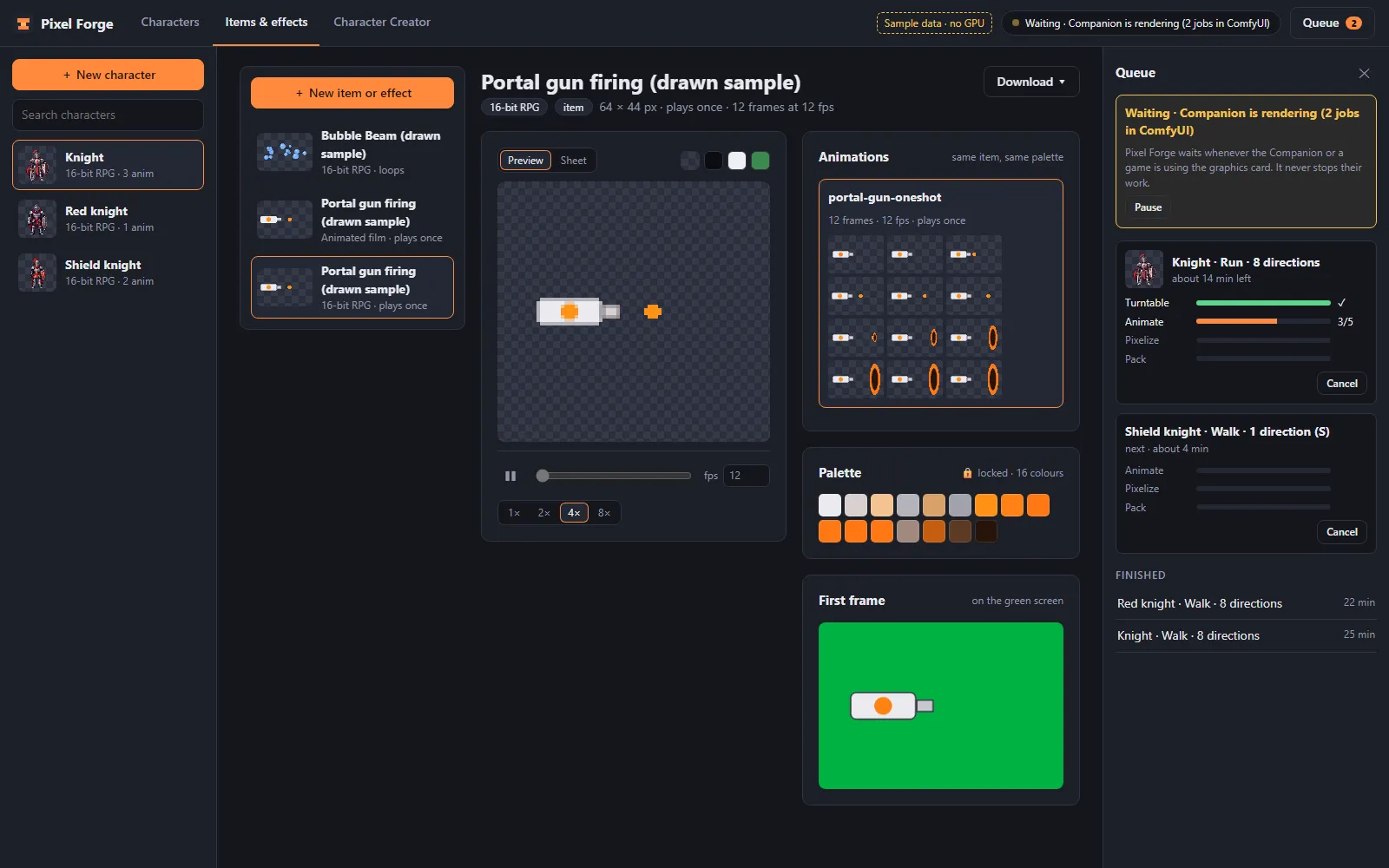 |
| Making a character: pick one of four stills | Items and effects: a portal gun firing |
Character Creator kinds and outfits, drawn as stand-in figures before the real pictures are painted:
How it works
- Stills: MOSS paints 4 candidates on plain green; you pick one.
- Turntable: Wan 2.2 makes a clip that starts and ends on your pick and turns the character all the way round; the sharpest frame near each 45 degree step becomes one of the 8 views.
- Animation: Wan again, starting and ending on each view (“walking in place”, “swinging a sword”); RIFE doubles the frame rate and the loop fix removes the twitch where the loop restarts.
- Pixel stage (on the CPU): green-screen key, feet lined up, one scale for the whole character, shrunk to 64 px with hard edges, every frame mapped to one 16-colour palette.
Requirements
- Windows 10/11 with an NVIDIA card of 12 GB or more (built and timed on an RTX 4070 Ti, 12 GB).
- Python 3.10 and ComfyUI with MOSS-Image, Wan 2.2 I2V 14B and RIFE. The models are not included.
Coming soon
- The first full runs on the graphics card, then 8-direction characters made from real clips.
- The app connected to the engine, so Make in the app really makes the sprite.
- More Character Creator pieces (beard, nose, eyes, legs, feet, hats).
- Style cards with real sample pictures for each style.
- Your own picture as input, and HD styles.
Recent changes
- 2026-10-23: Character Creator body-part finder, so armour and clothes fit arms, waists and hooves.
- 2026-10-23: Items and effects: portal gun, bubble beam, sword slash, coin spin and explosion presets.
- 2026-10-23: the pixel stage and the engine, with tests; the desktop app in one window.
- 2026-10-23: real art styles in five families; the Character Creator screen.
- 2026-10-23: first version of the app on sample pictures.
Credits and license
Built on ComfyUI (GPL-3.0), Wan 2.2 (Apache-2.0), MOSS-Image and RIFE. The code is not public yet.